Text messages from Cover My Share
Optional bill reminder texts, only for people who sign themselves up. Never marketing.
Who sends the texts
Cover My Share, a web app that tracks who owes what on shared household bills, sends them. It is operated by inWorks LLC. Texts come from one dedicated number, and every text starts with “Cover My Share:”.
What the texts are
Transactional bill reminders only. A text is one of these:
- a reminder that your share of a bill is due (the amount, who to pay and by when)
- a notice that a due date has changed
- a household member’s reply about a bill
- a notice that a bill you added has been removed
- one sign-up confirmation, right after you agree to texts
We never send marketing or promotional texts, we never share mobile numbers or text consent with third parties or affiliates for marketing, and we never ask for passwords, card or bank details by text.
How someone opts in
Only the person who owns the phone number can sign up for texts, by themselves, inside the app:
- Sign in at web.covermyshare.app with a Google or Microsoft account.
- Open the menu (tap More) and choose My contact details.
- Type your own mobile number in Mobile.
- Under Notify me by, choose Text or Email and text. The default is Email.
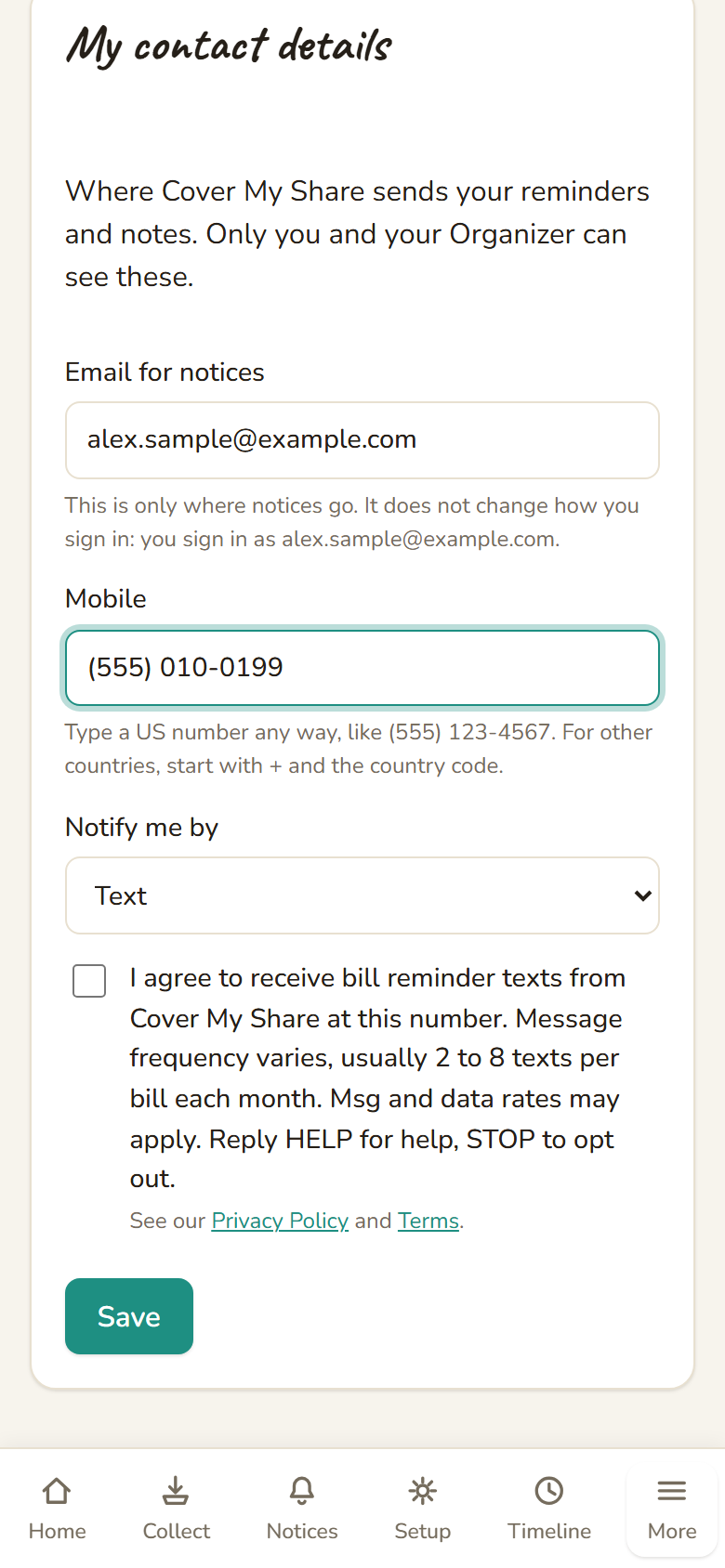
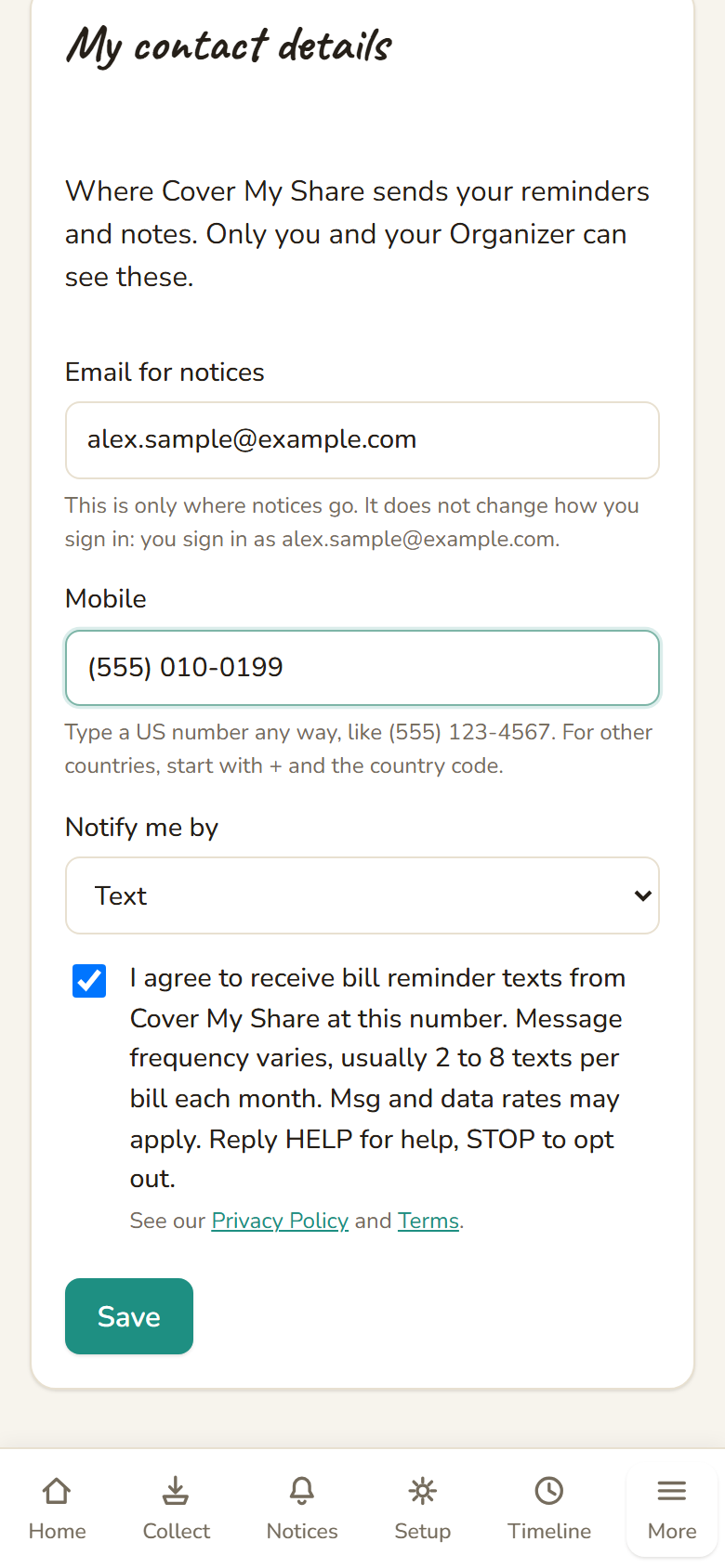
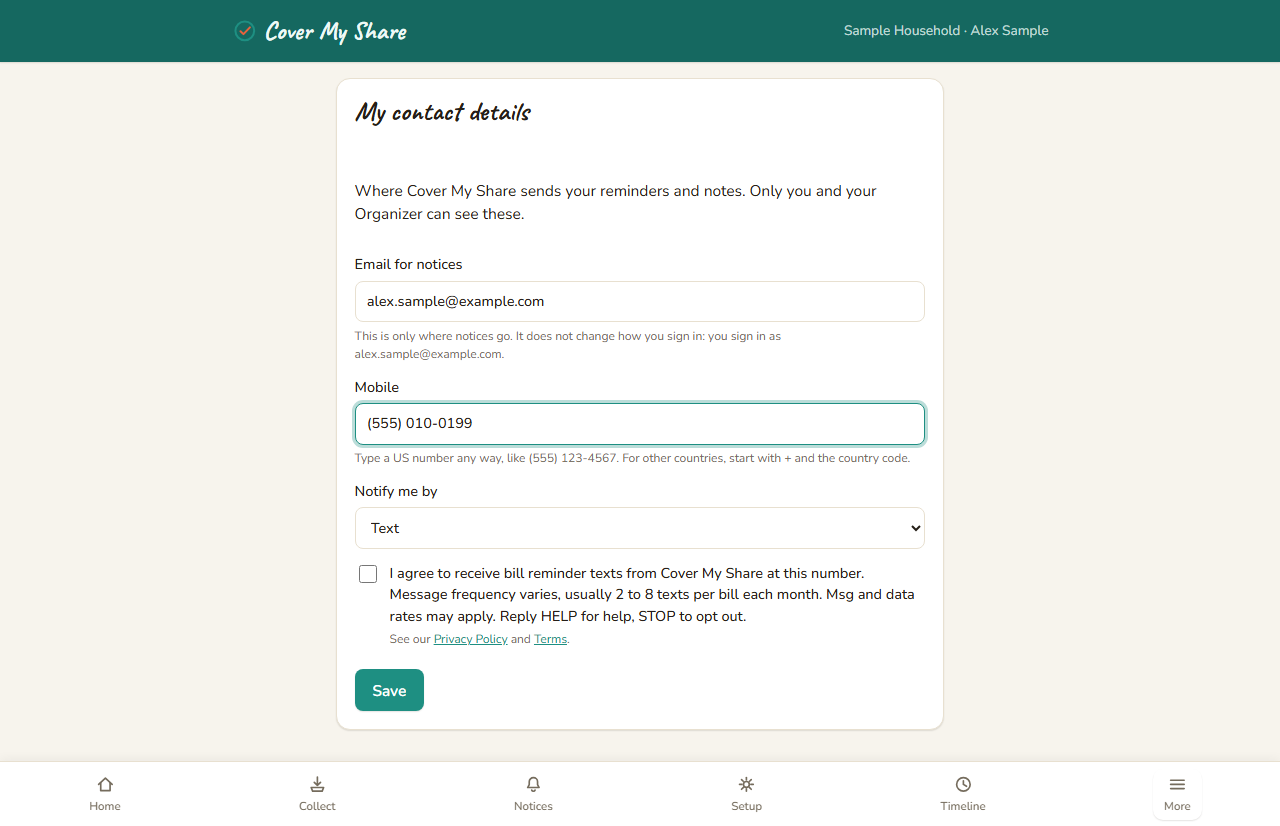
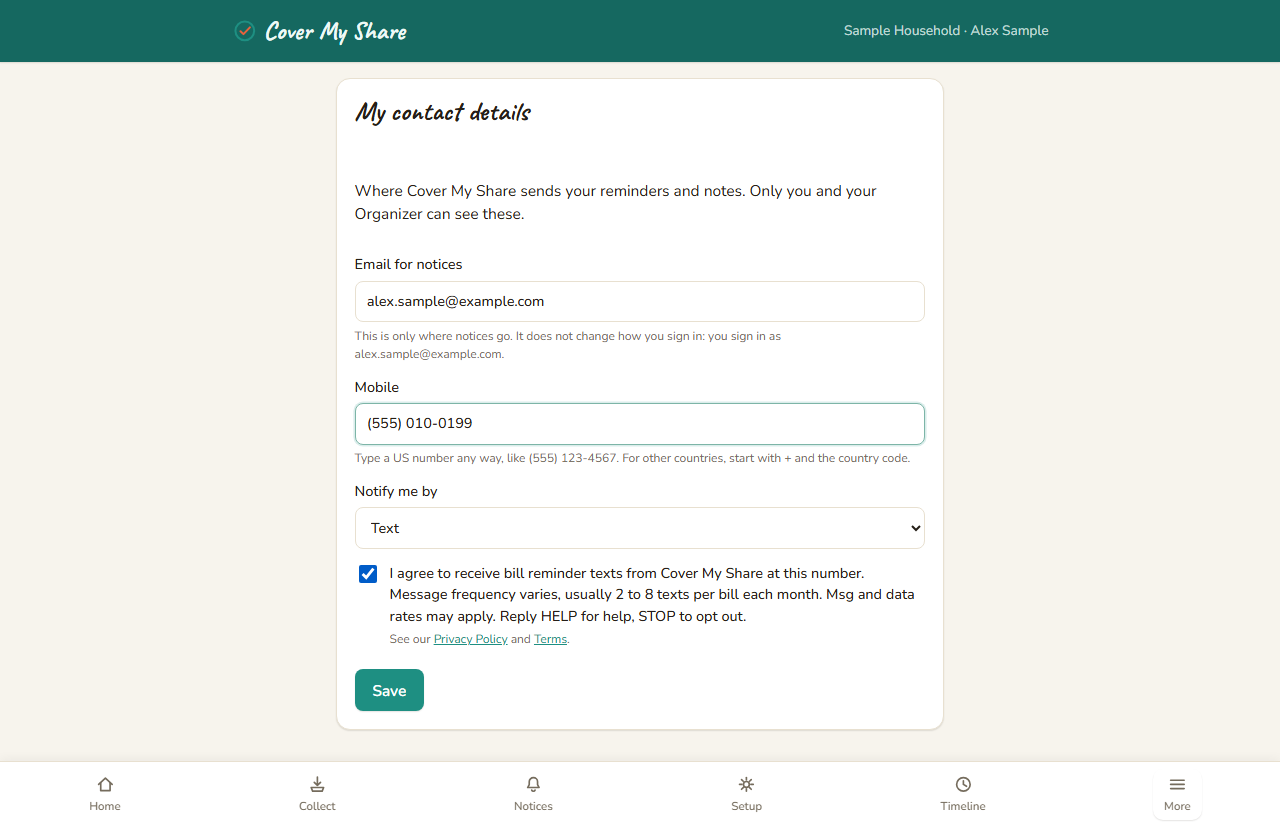
- Tick the consent box below. It is unticked by default, and nothing is saved for texting until it is ticked.
- Select Save. One confirmation text follows.
Texting is optional and never a condition of using Cover My Share: email always works. An Organizer (the person who sets up a household) can enter a number for someone but cannot opt them in, and no one is ever added to texts by anyone else. If the number is changed, the person is asked to agree again for the new number.
The exact consent wording
I agree to receive bill reminder texts from Cover My Share at this number. Message frequency varies, usually 2 to 8 texts per bill each month. Msg and data rates may apply. Reply HELP for help, STOP to opt out. Shown under the box: See our Privacy Policy and Terms.
The wording and a record of each agreement (when, which number, which wording version) are stored for every person who opts in.
The consent screen
This is the screen where someone opts in, with sample data only (a fictional person, Alex Sample, and a 555 number). Select an image to see it full size.
How often, and what it costs
Message frequency varies with your bills, usually 2 to 8 texts per bill each month, around the due date. Msg and data rates may apply, according to your mobile plan.
Help and stopping
- Help: reply HELP to any text, or email notices@covermyshare.app.
- Stop: reply STOP at any time and the texts stop. Your reminders then come by email instead. You can also choose Email in My contact details.
- Start again: turn texts back on yourself in My contact details. Replying START on its own does not sign you up again.
Every text tells you to reply STOP to opt out. Mobile carriers are not liable for delayed or undelivered messages.
Sample texts
Cover My Share: Rent for November (#GFYRV0): $563.13 due to Jordan Sample by Nov 1. Send to jordan.sample@example.com. Reply STOP to opt out.
Cover My Share: You're signed up for bill reminder texts, usually 2 to 8 per bill each month. Msg&data rates may apply. Reply HELP for help, STOP to opt out.
Names, amounts and dates above are made up.
The fine print
Cover My Share is operated by inWorks LLC, 143 Cedar Lane, Chester Springs, PA 19425-3514, phone 215-995-5562. Questions or requests: notices@covermyshare.app.